First of all, what is DNS and what is it for?
The Domain Name System, or DNS, is a service that associates Internet domain names (such as google.com) with their public IP addresses. By providing, from the early years of the Internet around 1985, this distributed name-resolution service, it became an essential component of the development of computer networks, because it avoids having to know the IP address of every site we want to visit. Moreover, IP addresses may change while keeping the same DNS name.
In short, DNS is the “official” and “easy” name of a website behind which one or more IP addresses are found.
We will skip the details about the 200 servers spread across 50 countries that hold the databases of all Internet sites to allow their correct resolution.
So that covers public websites… but then there is also DNS inside companies to list the computers and servers found there in the same way.
This type of service can be static or dynamic; simply put, it can either be updated manually as needed, or, in the case of DDNS, update itself automatically (Microsoft).
But then, that is all well and good… except how does it concern me, since it is managed on the Internet by access providers?
When accessing the Internet, every user/workstation uses (and thus becomes identifiable by) a public Internet address linked to the Internet subscription from which the Internet is accessed. In general, most individuals and companies have only one public Internet address, even if there are several computers within the company. Thus, all users of the same connection will appear with the same public IP address on the Internet.
This is made possible by a technology called NAT (Network Address Translation) which “hides” each internal IP address and only exposes the public IP address to the outside. And since a public address has a cost, it also allows an unlimited number of computers that are not exposed to the public and that use the same address.
Once these basic elements are in place, you just need to understand that in order to type www.google.com in the browser and get something on screen, a DNS-type service must translate “www.google.com” into a public IP address for that site, since every site or computer has an IP address first and foremost, and that is the only language it understands.
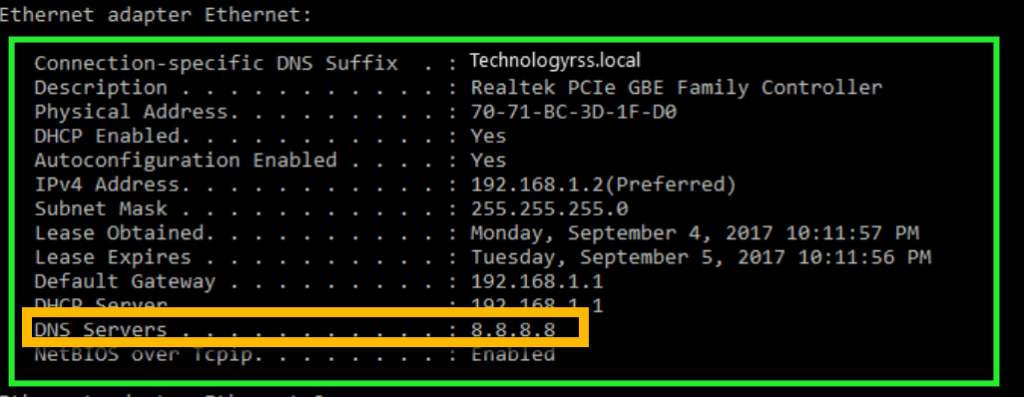
When you connect your computer, you will have an internal address of the type 192.168.x.x and if you are curious and look up the DNS assigned to you (under Windows, command line, IPCONFIG /ALL), you will see that one or more DNS servers are thus assigned to you (depending on the router/DHCP). It may simply be an internal address such as 192.168.1.1, or a Google server 8.8.8.8, or that of your ISP. Depending on what is chosen, Internet lookups will be more or less fast and also more or less secure. Note here that ISPs offer their own servers in order to increase the level of security, but above all of performance for users and traffic visibility.
We know it well: most people do not worry about this… and yet they should.
Understand here that the DNS server assigned to you will KEEP all the queries you make on the Internet, all the sites and links you type.
Of course, for the clever ones, anonymous DNS servers exist that do not keep this information, so that discreet lookups can be made. However, these servers can be slow; they often change, appear, then disappear. That requires constantly updating your DNS information… tedious.
By now you will have understood the importance of DNS… but that is not all.
In terms of security, knowing that DNS servers keep your information and that the technology is old, it is technically possible for a hacker to intercept your queries and redirect you to other phishing sites without your knowing.
It is to address this type of problem and at the same time to filter the content allowed in a company that we turn to a service such as OpenDNS from CISCO.
By using CISCO’s DNS servers, all queries will go through them and will be filtered, secured and validated to avoid unpleasant surprises. You have various possible filters to limit Internet access.
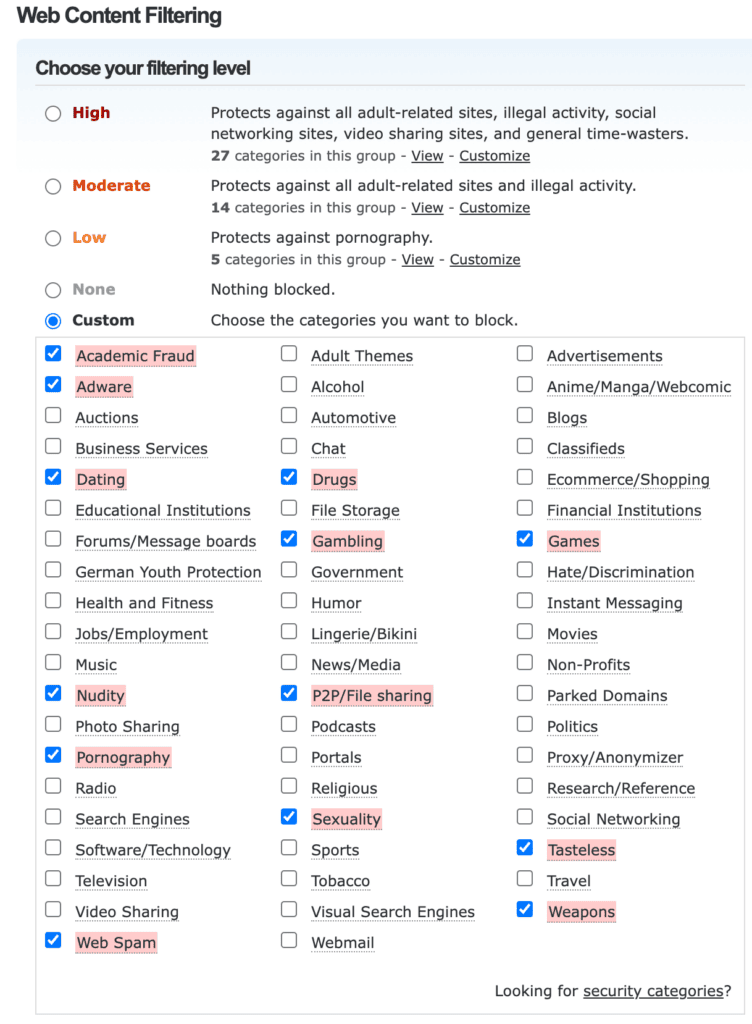

The 2 DNS servers are always the same for the user.
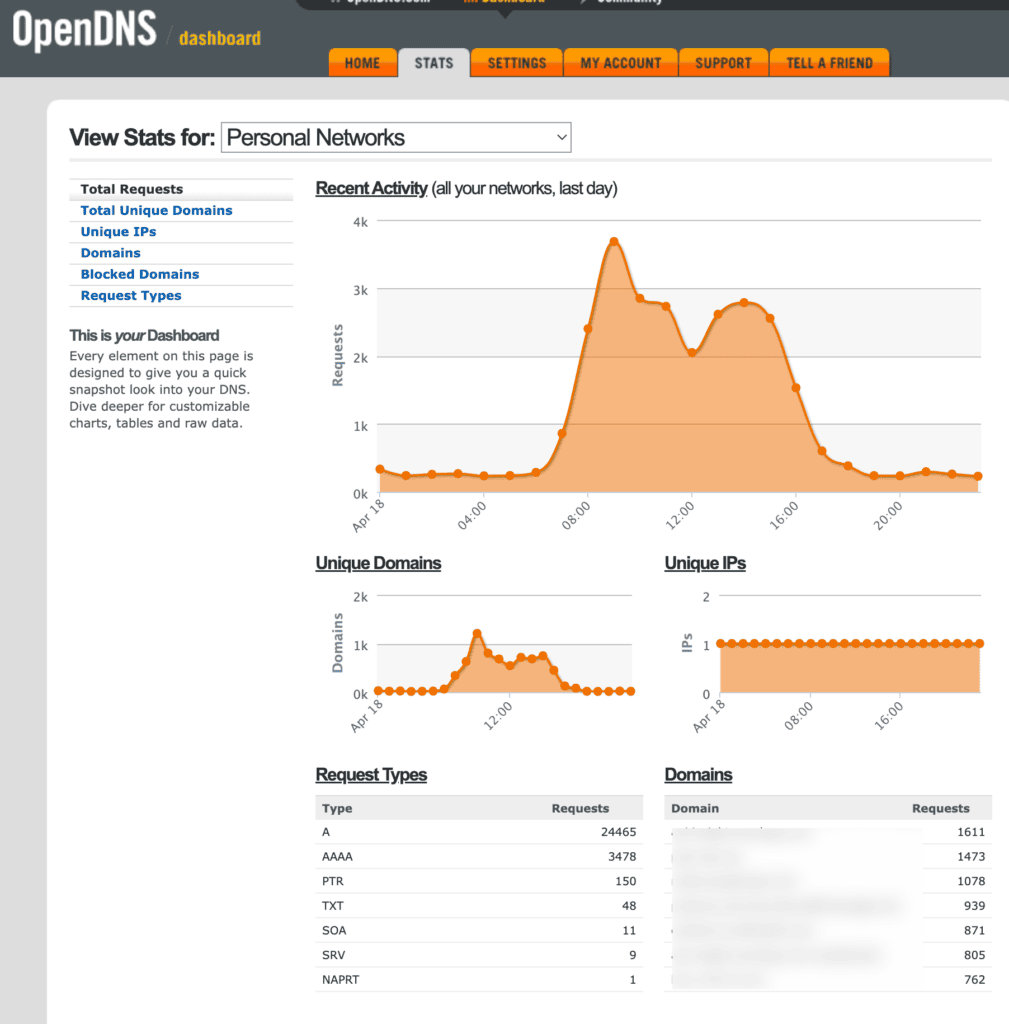
This will also give you access to statistics, such as usage rates or domain names that have been looked up or refused.
But how do you do it?
There are 2 ways to proceed: one for people/companies with a fixed public IP address, and those with a dynamic one.
Most individuals have a dynamic public address, which means it changes from time to time, whereas companies generally have a fixed one.
The easiest is with a fixed IP, because you simply create a free account (one network, limited) with OpenDNS, add the public IP address to register your network with them. Then it will be enough to configure the company’s services to use only the DNS servers mentioned above.
In the case of a dynamic address, however, you will also need to add the public address to create your network (www.whatismyip.com), but since it is liable to change, when that happens your DNS servers will lose track and you will not access the Internet…
You then need to install their Mac or PC agent, which will communicate with CISCO and give them the current IP address.
There you have it! With this solution, you greatly improve your security on the Internet, and also, in a family setting, you will be able to better filter visible content and adapt it.